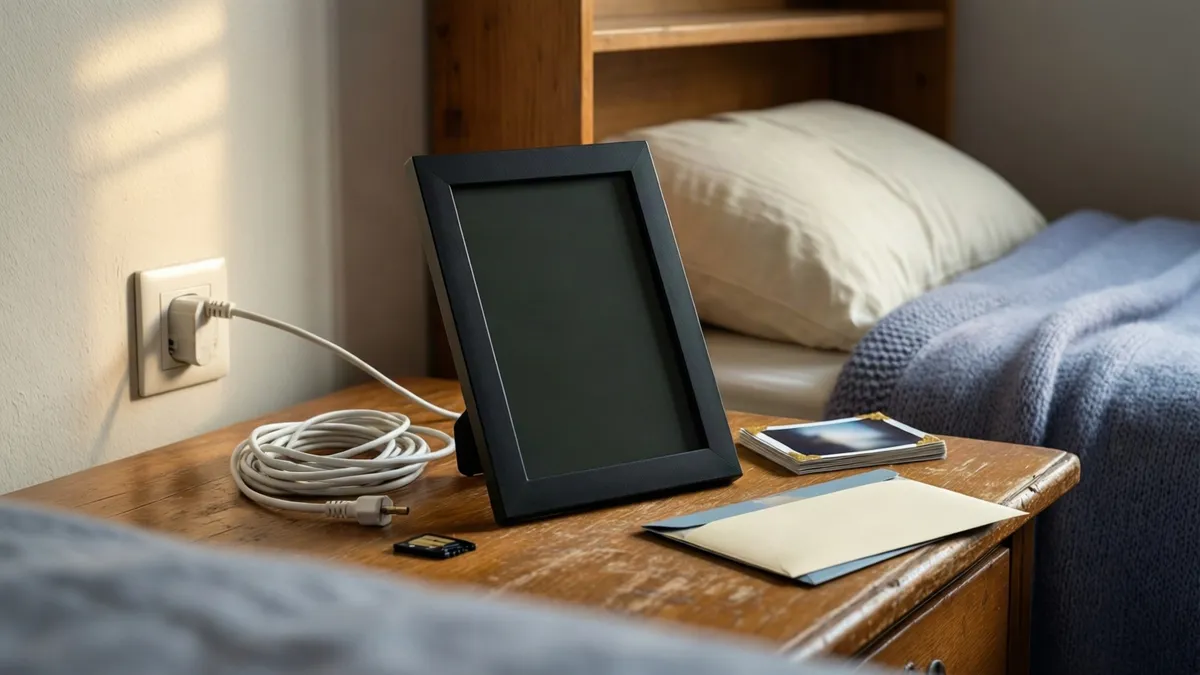
In short: Buy the frame around the routine it has to survive, not the screen. Decide where it will sit, how it gets power, and who adds photos three years from now. A gorgeous display that needs a phone call every time a photo arrives is the wrong frame, and the listing will not tell you which one you are buying.
These are buying guides, not lab reviews: we have not used every frame on this page. Specs come from the manufacturer or the listing, and whatever the listing shows when you click is the figure that counts.
This article contains affiliate links. If you buy through one, we earn a small commission at no extra cost to you. We only recommend what we would suggest to a friend.
The Federal Trade Commission's endorsement guides, 16 CFR Part 255, require a disclosure like that one to be difficult to miss, so it sits above every link here. Our full affiliate disclosure has the rest.
What we measured: We read in full the 7 ranking pages this search returns and compared what each covers: placement, upload method, and long-term upkeep. In our comparison, prices across those guides run roughly $2 to $5,000, with a median around $107 across 29 price mentions. Nearly none of them discuss the years after the wrapping paper. Plain ways this could be wrong: several pages were cookie banners rather than articles, and the prices are quoted from guides, not live listings.
Most listings sell the screen: resolution, finish, a wooden stand. That is packaging. The product is three years of Tuesdays: who sends the photo, how it travels, and whether anyone gets called. This guide is one format pulled from our larger Gifts for Grandparents, From the Whole Family guide, because frames ask a maintenance question most gifts never do.
Where the Frame Lives Decides Which Frame You Buy
Start with the spot, not the spec. A bedside-table frame needs a short reach to an outlet, and the cables boxed with these things are almost always shorter than you want. Check the length the listing states, then budget for an extension cord anyway.
Across the room is a different purchase: bigger screen, longer cable run, a visible cord you accept or hide. If nobody can name the wall or the shelf, stop. The kitchen already has a nail in it.
Before anyone shops, agree on the routine in writing. Our suggested checklist:
- Name the exact spot: bedside table, kitchen shelf, or wall.
- Check outlet distance and the cable length the listing states.
- Choose the upload path and name the one person who runs it.
- Confirm other family members can send photos too.
- Check whether settings can be locked or changed remotely.
- Decide what happens if the Wi-Fi drops or the maker folds.
- Set the price band and each person's share before anyone clicks.
How Photos Get In, and Who Is on the Other End
The upload path is the real product. Some frames accept photos only through a phone app. Others take email from any laptop, no app required. The simplest play from a memory card you fill and carry over.
Pick the path they can live with, not the one that demos well. No smartphone and shaky Wi-Fi means an app-only frame makes you the bottleneck, so look at frames that take photos by email or memory card instead. Some models also connect to a shared online photo album, which turns the library you already keep into the feed.
Name the person now. One organizer holds the account, the password, and the habit; everyone else gets the address. On warranties, the Federal Trade Commission's warranty guide notes that written warranty terms must be available to you before you buy, so read them next to the spec sheet.
Four Frames, Compared by What They Ask of You
Scored on burden, not stars. The last two columns are the opinion; the rest only support it. Price bands are our editorial judgment, not a sourced figure.
| Frame type | Size and where it fits | Power | Photos arrive | Other senders | Owner changes settings | Price band* | Asks of you monthly | Wrong for |
|---|---|---|---|---|---|---|---|---|
| App-first Wi-Fi frame | Desk-size; bedside or kitchen | Plugged in, short cord | Phone app | Usually, per listing | Rarely; you do it remotely | $80–$150 | A few uploads | Homes without steady Wi-Fi |
| Email-to-frame model | Shelf-size; sideboard | Plugged in | Email from anyone | Yes, by design | Sometimes, remotely | $100–$200 | Trimming duplicates | Families that never use email |
| Memory-card frame | Desk-size; anywhere with an outlet | Plugged in | Card you fill or mail | One curator at a time | On the frame itself | Under $80 | Nothing until the card fills | Far-away families wanting weekly photos |
| Large cloud frame | Wall-size; needs a cord plan | Plugged in, mounted | App or website | Usually, per listing | Remotely, often locked | $200–$400 | Uploads plus attention | Renters, small rooms |
Our take: Our call is an email-or-app frame with remote settings, desk-size, parked near the chair they actually sit in. Skip the biggest screen unless someone has named the wall, and skip app-only models outright where the Wi-Fi is unreliable. If your family will not sustain a sending habit, be honest and buy the memory-card frame with a planned card swap twice a year.
Locked Settings, Accidental Deletions and the Tablet You Already Own
Three hard edges, one place. First, deletion: on many models you can send and approve from afar but cannot delete remotely, so curation happens at the moment of sending. Send less, and better.
Second, exposure. A connected frame is an online account sitting in someone else's house. Give it its own email address and a password you keep, never the one your grandmother uses for her bank.
Third, memory loss. For a grandparent with dementia, do the setup at your house. Preload the photos, hide every menu, and place the frame where the day already has an anchor, like the breakfast chair.
And the tablet you own can do this job: photo screensaver, stand, done. The trade is focus. It will collect notifications and get borrowed. A frame has one job, which is exactly why it survives. If that sounds right, a simple memory-card digital picture frame is the low-maintenance version.
Do digital picture frames work without Wi-Fi?
Yes. Memory-card models play with no connection at all, and the cost is updates: someone has to be there. A workable rhythm is a fresh card mailed with each season or birthday, two to four swaps a year.
What size screen suits a bedside table?
Desk-size, roughly the width of a sheet of paper, fills a nightstand's sightline without crowding the lamp. Anything larger belongs across the room. Judge the size from the chair where they sit, not from the product page.
What happens if the company shuts the photo service down?
A cloud-dependent frame can end up playing whatever sits in its own memory, or nothing. Prefer models that also play from internal storage, and keep your own copy of every photo you send so nothing lives on one company's servers alone.
Can I send photos if my grandparent lives abroad?
Sending works from anywhere you have internet, so distance is not the constraint. The frame is. A US model needs the right plug and voltage, and their Wi-Fi must reach the spot, so check both before you ship.
Can I set everything up without visiting in person?
Partly. Accounts, albums and settings can usually be prepared from your couch. Connecting the frame to their Wi-Fi usually needs their password, and that usually means being there or walking them through it, so budget one phone call.
Marisol Adeyemi writes buying guides from public sources, manufacturer specs and listings; nothing here was tested by us.
Sources
- Federal Trade Commission — "Businessperson's Guide to Federal Warranty Law" (https://www.ftc.gov/business-guidance/resources/businesspersons-guide-federal-warranty-law) "Retrieved 2026-09-25".
- Federal Trade Commission — "Guides Concerning the Use of Endorsements and Testimonials in Advertising" (https://www.ftc.gov/legal-library/browse/federal-register-notices/guides-concerning-use-endorsements-testimonials-advertising) "Retrieved 2026-09-25".